Solar Not Generating After a Power Outage? What to Check
Grid power can return before you know whether your solar is generating. Check safe observations, record any fault and contact the right person.
 Randy Osifo-Doe
If you notice solar not generating after a power outage, first check whether grid supply has returned to your home and whether you are looking at current solar data. A blank app graph is one clue, but it cannot tell you by itself whether the inverter has a fault.
There is no safe universal switch sequence or restart time for every installation. Record what you can see without opening equipment, then use the instructions supplied for your system or contact the solar retailer or installer.
Why solar stopped during the outage
Most grid-connected solar systems stop supplying power when the network fails. The Australian Government explains that this automatic shutdown, called anti-islanding, helps protect people working on electricity lines. A battery does not automatically change that: backup operation depends on the design and configuration. Our grid-connected versus off-grid guide explains the different arrangements.
When the house lights come back, you know grid power has returned to at least part of the home. That alone does not confirm that solar generation has resumed, or that the app is showing a fresh reading. If the outage ended at night, there may be no useful generation reading until daylight. Clouds, shade and the time of day also affect output.
Check three observations without touching equipment
Start with the outage time and the time you noticed power returning. Then, in daylight, check three things:
- Household power: Lights or appliances working again show that grid supply has returned to those circuits. They do not prove solar has resumed.
- App timing: A recent reading shows that data is reaching the app. It does not prove that every panel or component is healthy.
- Inverter status: A safely visible display may show generation, an operating message or a fault code. Record what it says; the cause needs model-specific advice.
The Australian Government's monitoring guidance says a local inverter display can show current status, generation and fault codes, while apps may receive data through home internet or another connection. If the app's last update predates the outage, note that time. Our monitoring-app checklist helps separate a stale data link from possible equipment trouble.
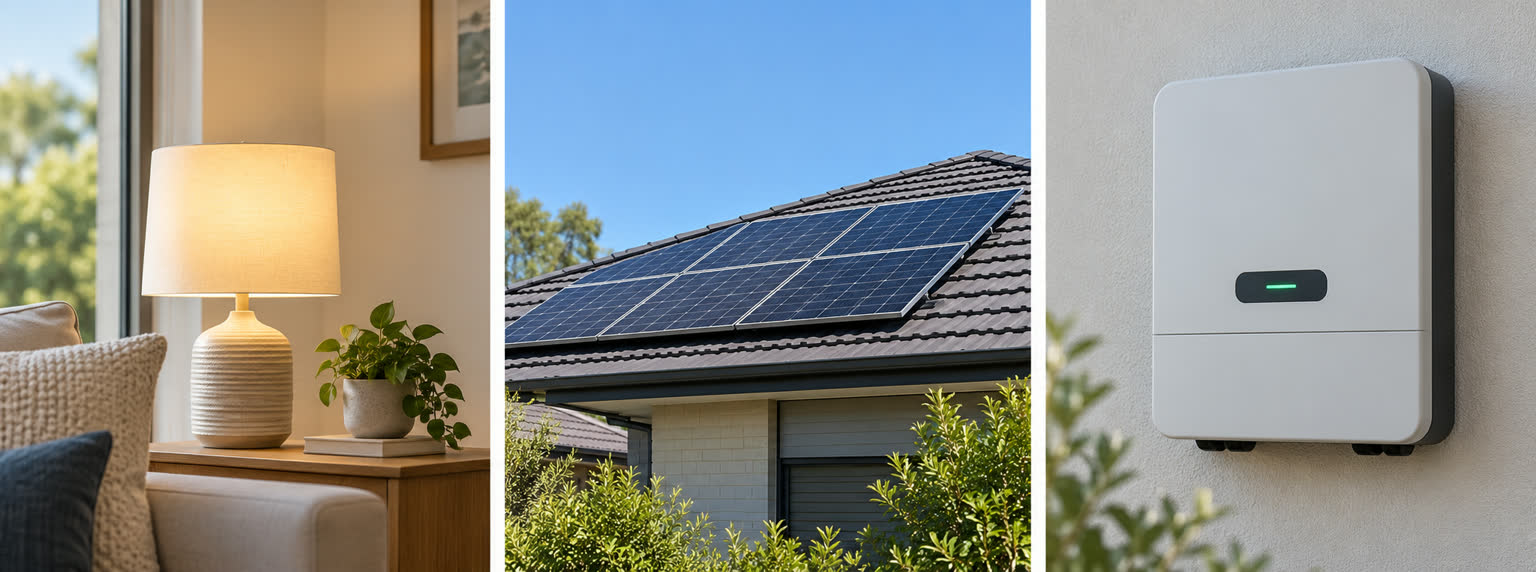
Grid supply, daylight and a visible inverter status are separate observations. Indicator colours and meanings vary by model; this illustration is not a fault diagnosis.
Do not remove a cover, touch wiring, go onto the roof or copy a reset procedure from a different inverter. Use only a display or indicator that is safely visible and that your installer showed you at handover. If the system includes a battery, record its app status separately; a charged battery does not establish that solar is charging it or that backup circuits are operating.
When to stop checking and call
If you can see damaged equipment or cables after a storm, keep clear and seek qualified help. Energy Safe Victoria's outage advice warns that solar equipment can remain a hazard even when power is off. This is Victorian guidance; follow the relevant local emergency advice where you live. Our storm damage first checks cover safe observations from a distance.
If there is no visible damage but the local inverter shows a fault, or daylight generation still appears absent after the grid has returned, contact your solar retailer or installer. The Australian Government's maintenance guidance names them as the first contact for a system that is not working as expected. Repairs need a suitably qualified professional. Avoid repeatedly cycling switches to see whether a graph changes.
Give the support person the outage and restoration times, app screenshot with its last-update time, any safely visible fault message, weather conditions and your inverter model from the handover record. Ask whether the equipment is reporting a fault, whether monitoring is merely delayed and what checks a qualified person should make. If there was recent switchboard, meter or battery work, mention that too.
Keep the answer with your system records
The most useful outcome of the call is a model-specific explanation and a record of what happened. Save any service report, fault code and instructions with your installation handover documents. If the same issue appears after another outage, those details will be more useful than guessing from a zero on the app.
Grid power returning and solar generation resuming are two separate observations. Check the current data and safely visible status, then let the installer diagnose anything unresolved.
Sources checked
- Australian Government Solar Consumer Guide: batteries and blackout supply
- Australian Government Solar Consumer Guide: design considerations
- Australian Government Solar Consumer Guide: monitoring
- Australian Government Solar Consumer Guide: system care and repair
- Energy Safe Victoria: power outages and energy safety
Last reviewed October 2026
This guide is reviewed against current Australian solar policy and market guidance where available. Confirm retailer prices, rebates, and product eligibility before making a purchase decision.
Randy Osifo-Doe is the Brisbane-based founder and lead writer of Aussie Solar Guide. His background is in finance, banking and household budgeting, and he writes from lived experience as a solar homeowner. He is not presented as an engineer, electrician, solar installer or renewable-energy professional.